


|
Navigation
Recherche
|
Best antivirus for Mac 2026: Security apps tested vs Apple Xprotect & Gatekeeper
mercredi 17 décembre 2025, 13:22 , par Macworld UK
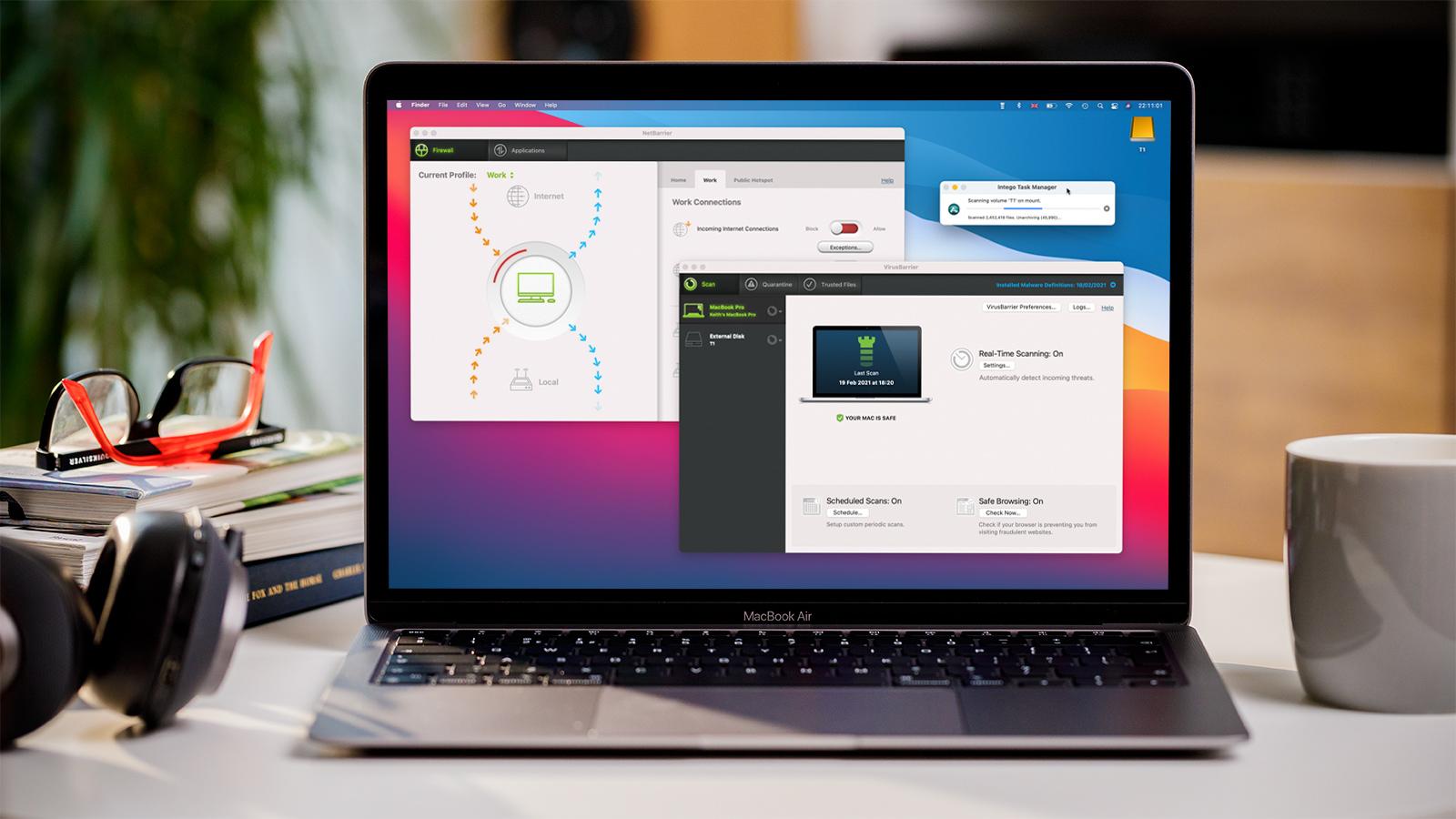
How we test Mac Antivirus To thoroughly test Mac antivirus software, we combine hands-on evaluation with data from independent security labs. We assess malware detection, usability, performance, and value for money. We start with a clean macOS installation and download known malicious software and visit malicious websites to evaluate protection against online and offline threats. We then assess performance impact and user experience. We also evaluate the usefulness and accessibility of the software’s tools, including VPNs, password managers, firewalls, and parental controls. Finally, we look at how well the software detects and deals with Windows viruses and other types of malware. Updated December 17, 2025: This article is regularly updated and we aim to assess each suite on a yearly basis or when new features are launched. It wasn’t so long ago that many users believed Macs didn’t need security software. Not only was the platform thought to be inherently secure by design, but the vast majority of computer users were running Windows, so that was where the money was for malware writers. Several high-profile attacks and a surge in popularity later, and now even Apple acknowledges macOS is a target, building in security tools like XProtect and Gatekeeper for basic protection from known Mac malware. Trouble is, it’s really not the known threats that keep us awake at night, and the dangers are not limited to malware. The most dangerous digital security threats are the ones we don’t see coming – those are the ones that will be successful in stealing our data, our privacy, our identity, and our money. See our top pick in Mac antivirus softwareView Intego Mac Internet Security X9 Investing in a decent security suite for Mac is a smart move, adding an extra layer of protection and being safe rather than sorry. We tested Apple’s own solution against a raft of malware and although it did an OK job keeping us safe, we proved that there were times when a questionable application could be installed without warning. A good analogy is to think of XProtect as the lock on your Mac’s front door, while paid antivirus is its alarm system and security cameras. With virus – also adware, spyware, trojan, and ransomware – definitions updated several times a day (far more frequently than Apple’s offering), you get real-time protection from all new and emerging threats. In our tests of Apple’s malware-protections, our only option was to wipe our Mac and return to the back up we made before the reckless behavior – and hope we hadn’t passed anything on. Apple doesn’t offer customer support or virus removal guarantees when the worst happens, nor does it protect you from cross-platform threats across all your devices. With paid antivirus software you get all this, plus more: extra features might include web and phishing protection, software updaters to patch vulnerabilities, VPNs, password managers, parental controls, secure cloud storage and backup, and dark web monitoring. Don’t wait until it’s too late to protect your Apple computer from digital threats. We thoroughly test all Mac antivirus products for usability and functionality, and consult independent lab data to determine which is the most reliable and trustworthy security product for your Mac. No-one is better placed to guide you on which antivirus to choose for your Mac than Macworld, the leading authority on Mac products and products built for Mac. Best antivirus for Mac reviewed and ranked Jump straight to a Mac antivirus product for more details: Intego Mac Internet Security X9 – Best value security tool for a single Mac Norton 360 – Best all-round, multi-platform security suite Surfshark One – Best for privacy, and unlimited device protection Avast Premium Security – Best for AI-powered Mac security AVG Internet Security for Mac – Best for trialing Mac antivirus 1. Intego Mac Internet Security X9 – Best antivirus for Mac users Pros Built for Mac with simplicity in mind Easy to set up and customize Solid malware protection Cons Mac only Price When Reviewed: Dès 24,99 € Best Prices Today: Retailer Price Intego €24.99 View Deal Price comparison from over 24,000 stores worldwide Product Price Price comparison from Backmarket Intego Mac Internet Security X9 is our top pick for Mac antivirus software. It is approved by independent testing labs AV-Test and AV-Comparatives, offering solid antivirus and firewall protection. In November SE Labs gave Intego Mac Internet Security a highly commendable 98% protection accuracy rating. As the only antivirus in this round-up to be built from the ground-up for Mac, it has a simplicity about it that Apple users will appreciate. We love how easy this no-fuss Mac antivirus is to set up and use, with deep customization options, and no pushy upsells. If you have just the one Mac you wish to protect, Intego is an extremely effective security product – and also the cheapest paid option here. Who’s it for? Intego is for Mac users who want simple, but effective security, and are looking to gain peace of mind without diving into system-level configuration gymnastics. Intego’s VirusBarrier is ideal for users who have a single Mac or MacBook to protect, while NetBarrier lets them quickly and easily set up profiles for home, work or public connections. Why we picked it Intego’s Mac Internet Security X9 is a strong choice for Mac antivirus software for several key reasons. Intego offers protection specifically for macOS, this means its robust feature set is tailored to the Mac. While some rivals offer more features those apps can feel like they are a cut-back PC app running on the Mac. Only Intego offers such an easy-to-use set of security utilities for Mac users. Further considerations The basic package includes the company’s VirusBarrier real-time antivirus and NetBarrier firewall, along with anti-phishing protection. If you need additional features, the Premium Bundle adds parental controls so you can monitor internet time and block inappropriate content, optimization utilities for reducing file clutter and improving system performance, organizational tools for putting your most frequently used files at your fingertips and neatly arranging your desktop and dock, plus backup. A VPN is also available as an add-on. Because Intego is a Mac-only security suite, it isn’t suitable for users who also want to protect their iPhone or iPad, Windows PC or Android device. Most alternative antivirus products offer cross-platform protection. If unbeatable malware protection is your only concern, there are better alternatives to Intego. In September 2024, AV-Test awarded Intego a rating of 5 (out of 6) for Protection, 6 for Speed, and 6 for Usability. Then, in June 2025, AV-Comparatives rated it 97.1% for Mac malware protection, 97% for protection from potentially unwanted applications, and 100% for Windows malware detection. All four of the alternative Mac antivirus programs listed below scored a 6 for Protection from AV-Test, plus 100% for Mac malware protection and the maximum possible 99% for protection from potentially unwanted programs from AV-Comparatives. Use our link to get the best deal on Intego Mac Internet Security X9 and Mac Premium Bundle. Read our full Intego Mac Internet Security X9 review 2. Norton 360 – Best all-round, multi-platform security suite Pros Virus Protection Promise Instant reassurance for scams Includes Norton’s VPN and Password Manager Cons Some features Windows only Price When Reviewed: Dès 24,99 € Best Prices Today: Retailer Price Norton Security €24.99 View Deal Price comparison from over 24,000 stores worldwide Product Price Price comparison from Backmarket Norton is a name with which most readers will be familiar, which is important for a tool that’s going to be responsible for your digital security. Norton’s Virus Protection Promise means you’ll get your money back if it can’t remove a virus from your Mac. Including VPN, a password manager, Deepfake protection, and antivirus, antimalware, ransomware and hacking protection, it has a more complete feature set than many of the Mac antivirus offerings here – without the high price tag to match. Norton 360 appeals for its top marks across both AV-Comparatives and AV-Test’s June 2025 benchmarks, delivering on malware protection, performance, and usability. A new feature that moves Norton up our ranking here is AI-powered Genie Scam Protection. The Genie Scam Assistant is available around the clock to answer your security questions, and can provide instant reassurance for dodgy-looking emails and texts. Who’s it for? The standard Norton 360 package is well suited to security-minded individuals who need a solution to cover all angles, and would appreciate the peace of mind afforded by an AI scam assistant that is able to answer questions in real time. The Deluxe package is ideal for couples, covering up to five devices including Macs, iPhones and iPads, while the Advanced package is perfect for families, with up to 10 devices covered. Further considerations Norton 360 supports Mac, iOS, Windows and Android, but if you use only Mac then you may be better served by Intego. Here macOS feels like more of an afterthought, with some features (such as cloud backup) available to Windows users only. There’s a lot of functionality here, and a lot of customization options, but if you’re not comfortable going digging into the settings for them then you might find this overkill. Some technical knowledge is required to take full advantage of these features. Although Norton performed very well in independent testing, in our own tests it missed a few threats, such as OSX.Proton, and it struggled to scan Zip files. We also found that the browser extension and private browser still allowed us to travel to questionable websites from spam email links. Read our full Norton 360 review 3. Surfshark One – Best for privacy, and unlimited device protection Pros Supports unlimited devices Excellent malware protection Includes VPN, identity and privacy protection Cons Cheaper options available Best Prices Today: Retailer Price Surfshark $50.85 View Deal Price comparison from over 24,000 stores worldwide Product Price Price comparison from Backmarket If you have multiple devices to protect, Surfshark One’s unlimited device protection for macOS, Android, and Windows is unbeaten. Not only does this antivirus product ace AV-Test’s malware protection benchmark, it has several extra features designed with privacy in mind, including the Surfshark VPN the company is arguably better known for. Additional features found within Surfshark One include: Alert, which alerts you if your email, credit card or personal data is leaked in a data breach; Search, which lets you browse the web ad-, tracker and threat-free; Alternative ID, which generates a new identity and proxy email for online registrations; and CleanWeb, for blocking pop-ups. Who’s it for? Many of the digital threats we face today target the person as well as the PC. Surfshark One is the Mac antivirus tool for anyone who is concerned with protecting their personal data and identity, as well as their Mac (or PC, or Android device). Further considerations While Surfshark One packs a lot of features, it is also the most expensive option in this round-up – especially if you plump for the one-month plan (not an option with all Mac antivirus vendors). All plans are billed monthly, with the cheapest tying you in for two years. If cost is a concern, Intego offers the cheapest entry point. Surfshark One has not been tested by AV-Comparatives but, as we noted, notched up the maximum possible score for protection in AV-Test’s benchmarks in June 2025. However, it did drop half a point on both speed and usability, where every other Mac antivirus product here scored the full six points. Read our full Surfshark One review 4. Avast Premium Security – Best for AI-powered Mac security Pros Scam Guardian fights AI-powered threats No impact on performance 60-day trial available Cons Slow manual scanning Price When Reviewed: Dès 32,28 € (1 an, 1 appareil) Best Prices Today: Retailer Price Avast Software €32.28 View Deal Price comparison from over 24,000 stores worldwide Product Price Price comparison from Backmarket Like Norton 360, Avast is going big on AI in the latest edition of its Premium Security suite. The logic is there: if AI is enabling the most sophisticated digital threats, AI may also present the best solution for finding and thwarting them. Avast also boasts an on-demand scam assistant as part of its new Scam Guardian module, providing instant reassurance for your security concerns, and it can prevent you clicking on dodgy links in scam emails and on fraudulent websites. Premium Security from Avast covers Mac, iOS, Windows, and Android, with packages available for one or up to 10 devices. You get a clean interface that is easy to use, and robust malware protection (scoring top marks in AV-Test and AV-Comparatives benchmarks in June 2025), with flexible scan options, smart network tools, and strong defense against browser hacks and ransomware. Who’s it for? Avast is well suited to individual users or families who are active on the internet, with protection focused on helping you spot the latest scams and guarding you while you shop or bank online. Further considerations If you’re not ready to buy Avast Premium Security, the company offers a generous 60-day trial, as well as a free version of its real-time antivirus. We would strongly urge you to consider the Premium version for its new AI-powered Scam Guardian module, and protection beyond basic malware. Read our full Avast Premium Security review 5. AVG Internet Security for Mac – Best for trialing Mac antivirus Pros Easy to use Strong malware protection and removal 60-day trial available Cons Mac only Best Prices Today: Retailer Price AVG $46.68 View Deal Price comparison from over 24,000 stores worldwide Product Price Price comparison from Backmarket AVG is probably better known for its free antivirus than its premium security suite, but it impresses with its broad feature set, clean interface, and solid malware/phishing protection. If you’re not sure whether to take the plunge and purchase paid antivirus then it offers the easiest path to do so, first offering a 60-day trial and then a 30-day money back guarantee if you’re not satisfied. In June 2025, AVG Internet Security for Mac scored top marks with AV-Test for Protection, Speed, and Usability, and also scored the maximum possible with AV-Comparatives when pitted against Mac malware, Windows malware, and potentially unwanted applications. Who’s it for? AVG Internet Security for Mac is for – as the name implies – Mac users. It does not support Windows or Android, although versions for those platforms are available. Best suited for cautious Mac users who want layered protection without complexity, the free trial lets them check it out with no strings attached. Further considerations AVG is mostly well designed and easy to navigate. It is good at its basic job, letting you use the web with confidence. We would like to see clearer indication of when scans are running, and it didn’t manage to prevent a fake Adobe Flash Player from being installed in our tests, but it’s difficult to fault this otherwise very strong Mac antivirus, which also did a great job of removing malware that did get through. It doesn’t particularly stand out among the competition here, but nonetheless it offers Mac security you can trust. Read our full AVG Internet Security for Mac review Other Mac antivirus software we tested Macworld reviews many more antivirus products than you see in our ranking above. Not appearing in our top five doesn’t mean a product isn’t going to do a good job of protecting your Mac, merely that it failed to stand out among the best of the competition. You’ll find some more top contenders below, with links to our full reviews for more details. We wouldn’t advise installing any Mac antivirus without first checking our antivirus software reviews. (For PC antivirus, see our sister site PCWorld’s guide to the best Windows antivirus.) McAfee Total Protection We recommend: McAfee Total Protection Read our review Price When Reviewed: Dès 29,95 € Best Prices Today: €29.95 at McAfee Why we recommend it: McAfee Total Protection 2025 covers the bases with solid antivirus, real-time scanning, and a basic VPN feature, but stumbles with vague alerts, an outdated WebAdvisor protection system, and noticeable performance hits. Who’s it for: It’s a decent all-in-one for casual users wanting broad protection, but power users or privacy hawks might want something leaner, faster, and easier to configure. Read our full McAfee Total Protection review Avira Prime We recommend: Avira Prime Read our review Price When Reviewed: 59,95 € (1 an/5 appareils) Best Prices Today: €59.95 at Avira Why we recommend it: Avira Prime offers a sleek, modular approach to antivirus with solid customization, a zippy Quick Scan, and strong cleanup tools. While Full Scan times drag and phishing defense needs sharpening, features like unlimited VPN and Identity Assistant shine. Who’s it for: Avira Prime seems best suited for privacy-focused users who want full control without overwhelming complexity. Read our full Avira Prime review Trend Micro Antivirus for Mac We recommend: Trend Micro Antivirus for Mac Read our review Price When Reviewed: Dès 19,95 € Best Prices Today: €19.95 at Trend Micro Why we recommend it: Trend Micro Antivirus delivers strong malware defense, smart folder protection, and detailed logs for the everyday user who wants solid security without diving into sysadmin territory. Who’s it for: While setup can be clunky and its Web Protection feature needs polish, it’s a great fit for home users who want customization, automation, and visibility without too much fuss. Read our fullTrend Micro Antivirus review Bitdefender Antivirus for Mac We recommend: Bitdefender Antivirus for Mac Read our review Price When Reviewed: Dès 29,99 € Best Prices Today: €29.99 at Bitdefender Why we recommend it: Bitdefender Antivirus for Mac delivers fast scans, solid real-time protection, and a clean install process. While it fumbles on some pre-existing threats and Safari phishing defense, it’s a reliable day-to-day application. Who’s it for: Bitdefender is arguably ideal for users wanting basic, no-fuss Mac protection with the option to scale up to Total Security for multi-platform coverage should they desire. Read our fullBitdefender Antivirus for Mac review MacPaw, Moonlock We recommend: MacPaw Moonlock Read our review Why we recommend it: MacPaw is best known for CleanMyMac, but now it’s brought out its own Mac antivirus app. What’s present in Moonlock, in terms of malware detection and removal makes it a viable option for Mac users who want good protection with minimal fuss. Its antivirus tools catch some threats that can be missed by other utilities, such as AdWind and CrossRat, but let too many others slip past. Who’s it for: Moonlock includes some great learning tools, making it well suited to users who feel a bit lost navigating the world of anti-malware. MacPaw really makes an effort to teach less-technical users why certain security settings matter. Read our fullMoonlock review BitMedic Pro Antivirus We recommend: BitMedic Pro Antivirus Read our review Price When Reviewed: 9,99 € Best Prices Today: €9.99 at Mac App Store Why we recommend it: BitMedic Pro Antivirus is a budget-friendly, feature-packed tool with decent adware and phishing detection, but it’s beginning to show its age, with stability issues, vague scan results, and no updates since 2020 hurting the experience. Who’s it for: The software seems best suited for bargain hunters who want basic, occasional scans as opposed to those relying on consistent, up-to-date protection. Read our fullBitMedic Pro Antivirus review Sophos Home Premium for Mac We recommend: Sophos Home Premium for Mac Read our review Price When Reviewed: 37,46 € Best Prices Today: €37.46 at Sophos Why we recommend it: Sophos Home Premium brings strong multi-device protection with a clean interface and solid web filtering. Still, its setup is clunky, external scans are awkward, and some malware slipped past, which raised some eyebrows. Who’s it for: It’s best suited for families or small offices needing centralized management and broad coverage, not power users demanding airtight, real-time threat elimination. Read our fullSophos Home Premium for Mac review Malwarebytes Premium Security We recommend: Malwarebytes Premium Security Read our review Why we recommend it: Malwarebytes Premium Security for Mac is a user-friendly tool with strong malware detection, but lacks deeper customisation, external volume scanning, effective web protection, and Windows-specific features. Who’s it for: It’s best for casual users seeking set-it-and-forget-it defence with its built-in VPN feature, not power users needing granular control or all-surface threat coverage. Read our fullMalwarebytes Premium Security review Best Mac Antivirus: Specs Comparison DeveloperProduct NameMalware ProtectionRansomware ProtectionAdware PreventionAnti Phishing ProtectionEmail ProtectionFirewallVPNiOS VersionParental ControlsSupportTrial/Free versionIntegoInternet Security X9Excellent, Mac focusedYesYesYesYesYesNoNoYesEmail/Phone30 day trial and free optionSurfsharkSurfshark OneStrongYesYesYesYesNoYesYesNoChat/Email30-day money back guaranteeAVGInternet Security for MacGoodYesYesYesYesYesNoNoNoEmail60 daysAvastPremium SecurityVery goodYesYesYesYesYesNoYesYesEmail/Forum60 daysMcAfeeTotal ProtectionGoodYesYesYesYesYesYesYesYesPhone/Chat30 days/money-back guaranteeTrend MicroAntivirus for MacYesYesYesYesYesYesNoYesYesEmail30 daysNortonNorton 360Very strongYesYesYesYesYesYesYesYesPhone/Chat30-day money-backAviraAvira PrimeYesYesYesYesYesYesYesYesNoEmail30 daysBitdefenderBitdefender Antivirus for MacYesYesYesYesYesYesYesYesYesEmail/Chat30 daysMacPawMoonlockYesYesYesYesYesNoNoYesNoEmail7 daysPocket Bits LLCBitMedic Pro AntivirusYesYesYesYesYesYesNoYesNoEmail/Support Form7 daysSophosSophos Home Premium for MacYesYesYesYesYesYesNoYesYesChat/Email30 daysESETEset Home SecurityYesYesYesYesYesYesYesYesYesEmail/Phone30 daysMalwarebtyesMalwarebytes Premium SecurityNoYesYesYesYesNoYesYesNoEmail/Forum14 days Can I use free Mac antivirus? Apple’s XProtect is a free antivirus built into macOS, while Gatekeeper blocks unverified apps. We’ve installed Mac malware on a Mac with only Apple’s protections in place and while Apple’s security layers offered some protection, malware and suspect applications could still be installed if warnings are ignored. An advantage of running a free Mac antivirus product from a third-party company rather than Apple’s antivirus is more frequent updates, making it better able to protect you from the latest threats, as well as other nasties including adware, spyware, trojans, and ransomware. The antivirus engine in free and paid antivirus programs is typically the same. The difference is in all the extra features afforded by the premium suite, including the availability of customer and/or AI-powered tech support when something goes wrong, cross-platform support for all your devices, web and phishing protection, privacy features such as a VPN and identity- or dark web monitoring, parental controls, and more. The old adage that you get what you pay for is true, and if you are genuinely concerned about Mac security then it is advisable to pay for the most complete protection you can get. If value for money is your most important criteria, you should check out the best Mac antivirus deals. But if you’re on a really tight budget, free antivirus is still going to do a better job of protecting you than Apple’s security tools. What’s the best free Mac antivirus? Here are the best
https://www.macworld.com/article/668850/best-mac-antivirus-software.html
Voir aussi
|

59 sources (15 en français)
Date Actuelle
mer. 7 janv. - 05:56 CET
|
 Lire la suite sur Macworld UK


