


|
Navigation
Recherche
|
Why my favorite iPhone apps of 2025 belong on your Home Screen too
mardi 23 décembre 2025, 13:15 , par Mac 911
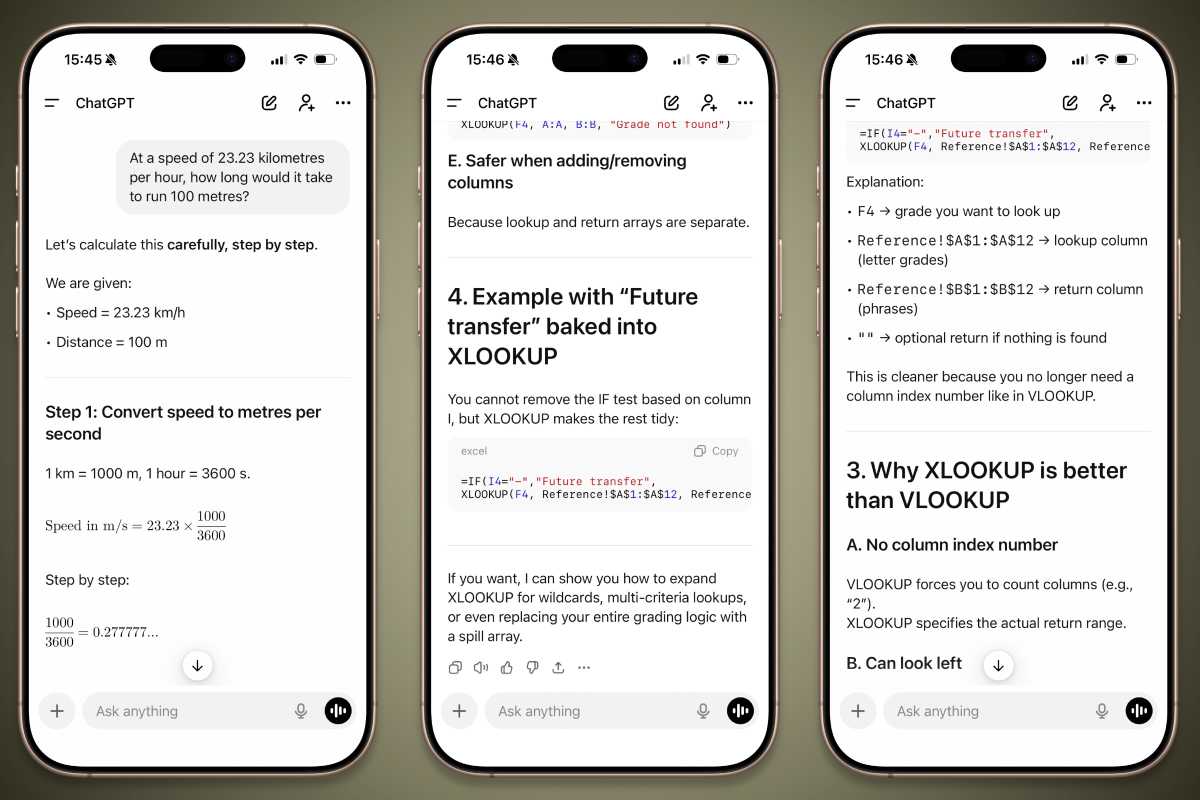
2025 has been a pretty momentous year in terms of the apps I used on my iPhone. Whether it was a new discovery that changed the way I work, or an old favorite that kept delivering, iOS apps helped improve my life in multiple ways. Hopefully, you experienced something similar. Here, I highlight those apps and explain why I’ve chosen them as my top picks over the last 12 months. Perhaps they could help you in similar ways throughout 2026. AI: ChatGPT Artificial intelligence (AI) has changed the world in unbelievable ways, with ChatGPT undoubtedly leading the charge. While Apple Intelligence struggled and floundered, OpenAI’s model went from strength to strength, and its ChatGPT iOS app showed how an AI app should work on iOS. I’ve found that ChatGPT is most valuable when it’s used in a targeted way or when you’re looking for a specific solution. Asking it vague, general questions is fine, but not where its real strength lies. No, ChatGPT was incredibly valuable to me in 2025 when I used it to find information that traditional methods just couldn’t locate. Using ChatGPT to resolve an Excel formula.Foundry For example, ChatGPT came in clutch time and time again with Microsoft Excel, of all things. I use Excel most days, and I often want to achieve a specific outcome using a formula, without knowing how to structure the actual formula that I need. But if I try to find the answer using Google, I get nowhere; the search engine is absolutely useless at understanding what I want. Ask ChatGPT, though, and it instantly has the correct answer drawn up in seconds. Better yet, I can ask it to adjust the formula, and it’ll tweak its solution, ready to go. It’s a glaring example of the deficiencies of modern search engines compared to AI. ChatGPT has helped me in countless other ways, big and small, where I’ve been left frustrated after searching forums or trying Google. If these methods get you nowhere, give ChatGPT a try. Just be sure to double-check the solution somewhere else, as OpenAI’s chatbot is still capable of the odd hallucination. Reading: Matter The most frequent way I use my iPhone is to read online content. Sometimes that means ceaselessly scrolling Reddit, while other times it means saving articles for later. Pocket used to be my read-it-later app of choice, but when Mozilla shut it down, I went searching for alternatives. The app I settled on was Matter. Like Pocket, Matter makes it incredibly easy to save articles from around the web thanks to its share sheet integration, web browser extension, and more. It’s even set up to import your saves from other like-minded apps in just a few taps, which made switching from Pocket utterly effortless. Matter for iPhoneFoundry It’s stuffed with handy extras, like a tool that will transcribe your podcasts so you can read along (with a built-in AirPods gesture for highlighting paragraphs), or a discovery feed of fresh articles you might like. It looks great and is plenty customizable, and it can speak your articles aloud in a convincingly natural AI voice if you don’t fancy reading. It’s ramped up my learning this year and has filled a Pocket-shaped hole in my digital life. Meditation: Down Dog Self-improvement and self-understanding are trending ideas these days, but you don’t have to go looking for some modish fad to improve your life–try out the ancient practice of meditation instead. It can leave you feeling calmer and with a better knowledge of yourself and your foibles, and there’s no better app I’ve found to help you do that than Down Dog’s Meditation. Down Dog for iPhoneFoundry While many alternatives offer you a pre-made meditation curriculum that you must follow to the letter, Down Dog takes the opposite approach by making almost everything customizable. You can change the meditation topic, the background music, the session’s theme, whether it’s guided or not–if it is, you can change the voice of the person leading the practice. Better yet, all the voices are recorded by real people without a trace of AI. Its wide range of adjustments means I can fine-tune each meditation session to my liking. However, I’m feeling on any given day, I know I’ll get something valuable out of the app because it adapts to me, not the other way around. Calendar: Fantastical Apple’s Calendar was my planning app of choice for years, although it was largely an unthinking choice. It was just there, ready to go. When I did start thinking about it, I realized I could do so much better. Enter Fantastical. Long a favorite of Apple fans, this app adds a wealth of features that Apple’s default app lacks, from a variety of views and customization options to natural language input and quick weather indicators for each day. You can set your day-to-day availability and let people make appointments with you, too. Fantasical for iPhoneFoundry I’m someone who regularly switches between the Apple ecosystem and my Windows PC, so Apple’s Calendar was never the ideal app for me because it doesn’t exist on Microsoft’s operating system. Fantastical, though, has a Windows app, letting me finally make the switch on all my devices. It’s never been easier for me to organize my day and stay on top of my schedule. Podcasts: Overcast I listen to a lot of podcasts, so it’s important that the app I use is up to scratch. The choice I’ve settled on is Overcast, and it ticks all the boxes for the kind of platform I’m after. Overcast for iPhoneFoundry Spend a little time with it, and it becomes obvious that this is an app made by someone who cares about podcasts. There’s a huge array of clever little touches and adjustable features that can make the app your own: you can change how far the back and forward buttons skip, for example, or enable the Smart Speed feature to cut down on silent moments without impacting sound quality. It’s all wrapped up in a clean, intuitive interface that’s easy on the eye (in both light and dark modes) and features many changeable options and elements. That makes it enjoyable to use and simple for anyone to pick up. Travel: Hopper There’s nothing quite like booking a vacation abroad to give you something to look forward to, but actually making it happen can be an exercise in frustration. That’s why I started using Hopper, and it’s helped make the process a whole lot smoother. Hopper can do a lot of things: offer up deals on hotels, for example, or give you a place to find a rental car. That’s all well and good, but it truly comes into its own when it comes to booking a flight. This is the app’s feature that I used the most. Hopper for iPhoneFoundry Search for a flight and Hopper presents a color-coded calendar showing the best (that is, cheapest) days on which to book a flight. This is often the difference between getting a bargain and spending a few hundred more dollars than you need to. Hopper combines this with price predictions, so if now’s not the right time to pull the trigger, it’ll let you know. If you’re not quite ready to book, you can also pay a little to freeze the price and protect against it rising–I never needed that feature, but it’s nice to know it’s there. Now, I never check flight prices without going through Hopper first. It’s a handy weapon in your arsenal if you love traveling and hate overpaying. Sports organization: Spond I’m a soccer fanatic: I love watching it, but most of all I love playing it. But trying to get everyone organized before practice or a game sucks when you’re trying to do it over Messages or email. Instead, I ditched those methods and switched to the Spond app this year, and it’s made a world of difference. This app is all about helping people manage sports groups and ensuring everyone shows up week after week. Club members can say whether they’ll be playing each match and pay their subs through their phone, while organizers can set the location and remind people to respond if they haven’t already. There’s handy contextual information, too, like directions to the pitch and a weather forecast for kick-off time. Spond for iPhoneFoundry Now, I don’t worry about haphazard communication and chaotic game days. Instead, I just handle everything in one place on my iPhone. I can’t say it’s made me play any better, but I’m working on that.
https://www.macworld.com/article/3019010/best-7-ios-apps-i-used-in-2025.html
Voir aussi
|

59 sources (15 en français)
Date Actuelle
mar. 23 déc. - 15:18 CET
|
 Lire la suite sur Mac 911


